
Setup Guide
Get Streaming In
Under 5 Minutes
Follow our step-by-step guide to install Novacast on any device. Pick your platform below and you'll be up and running in minutes — full UHD picture, no buffering, no fuss.
Instant Activation
5-Minute Setup
Works on Any Device
24/7 Live Help
Setup Novacast on Amazon Firestick / Fire TV
+
First we need to install Downloader on your Firestick. If you already have Downloader, jump to Step 17 for the app install link.
1
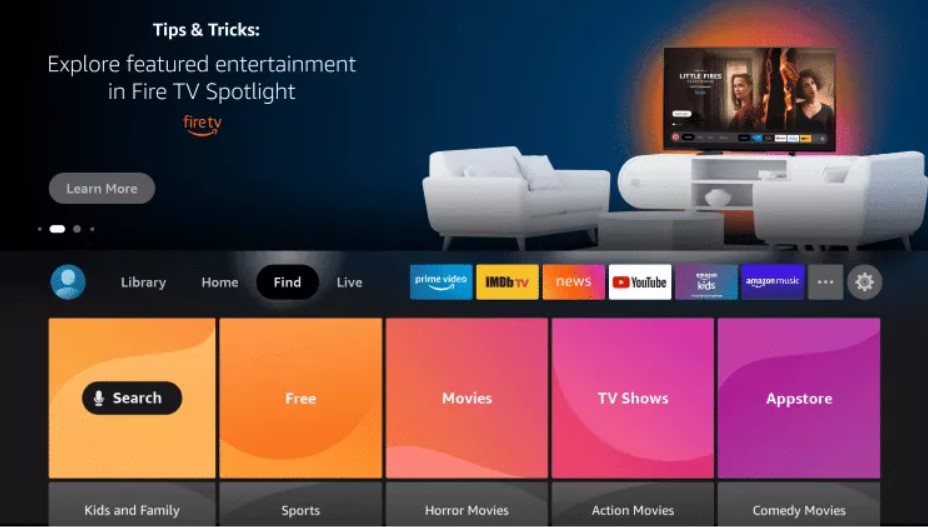
From the Home Screen of your Fire TV, hover over the Find option.
2
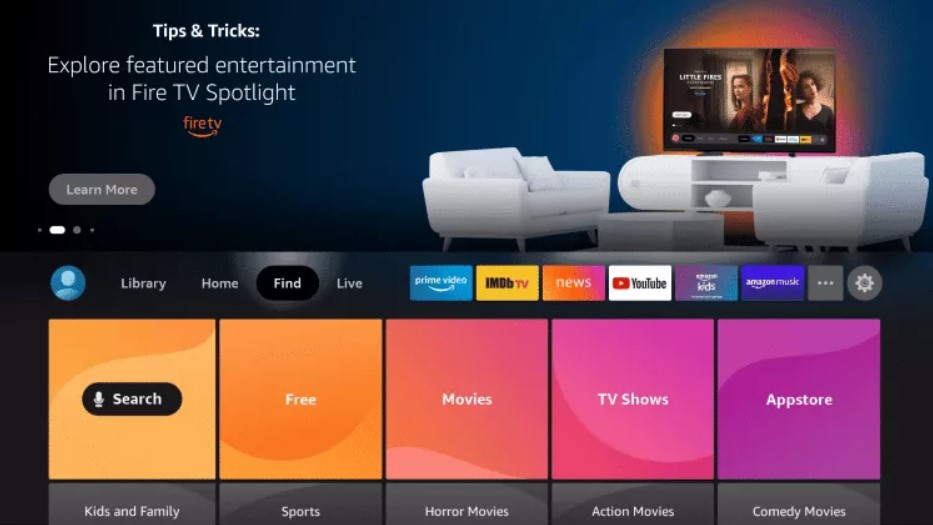
Click Search.
3
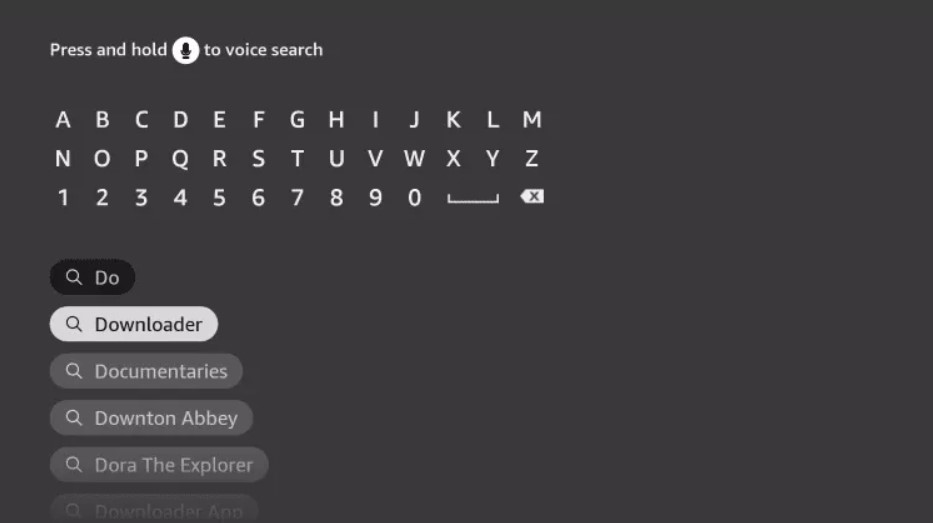
Search for and select Downloader by AFTVnews.
4
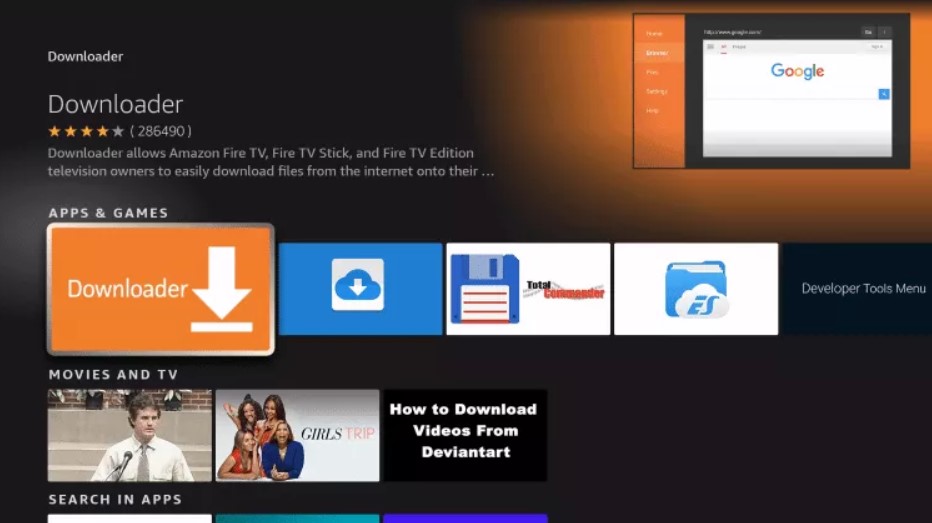
Choose the Downloader app.
5
Click Download.
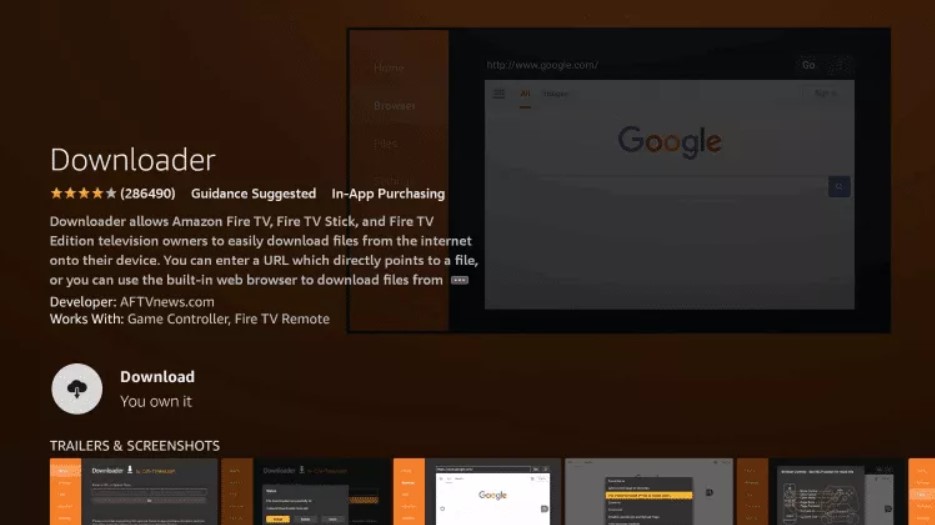
6
Wait for the app to install.
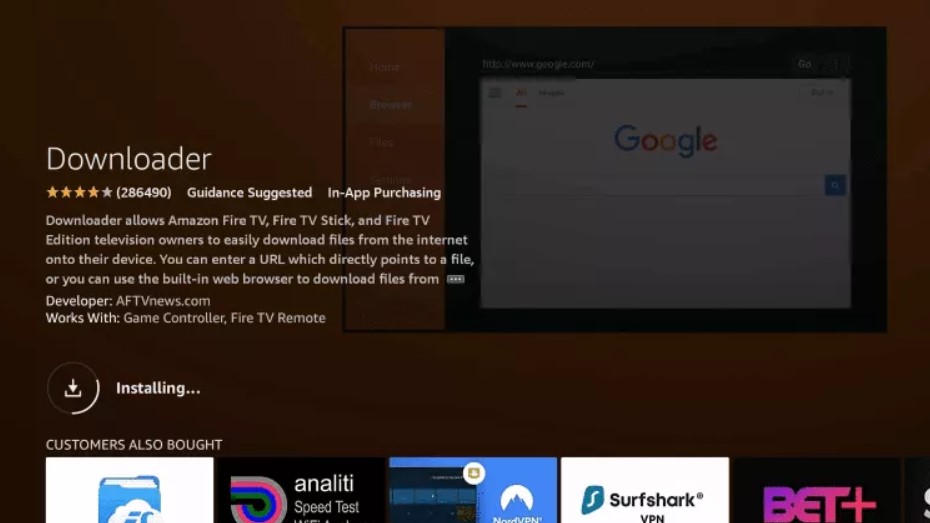
7
Once the app finishes installing, click Open.
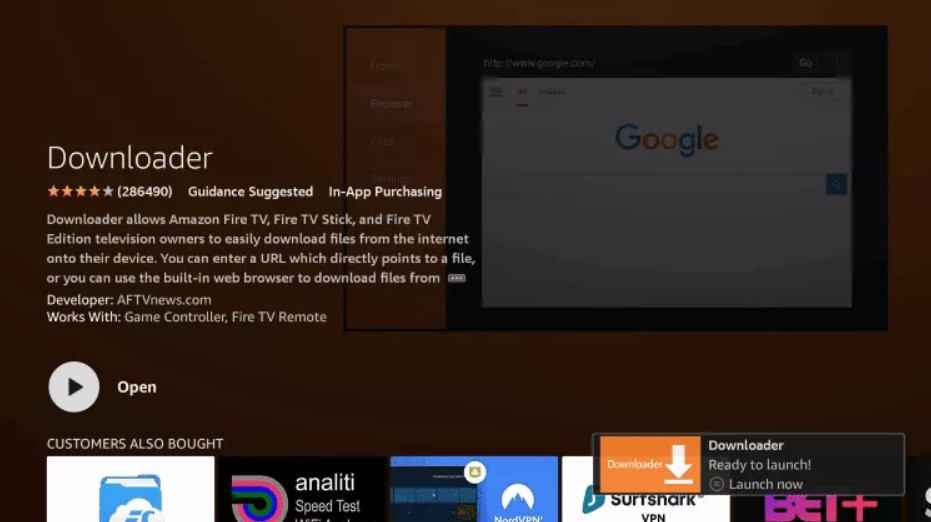
Next: Now we need to enable Install from unknown sources and ADB Debugging in Settings.
8
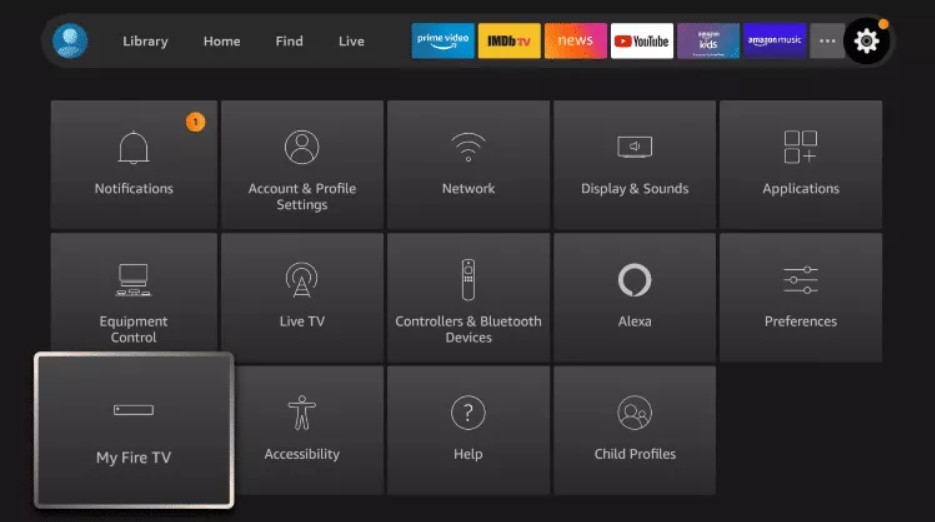
Return to the home screen and open Settings.
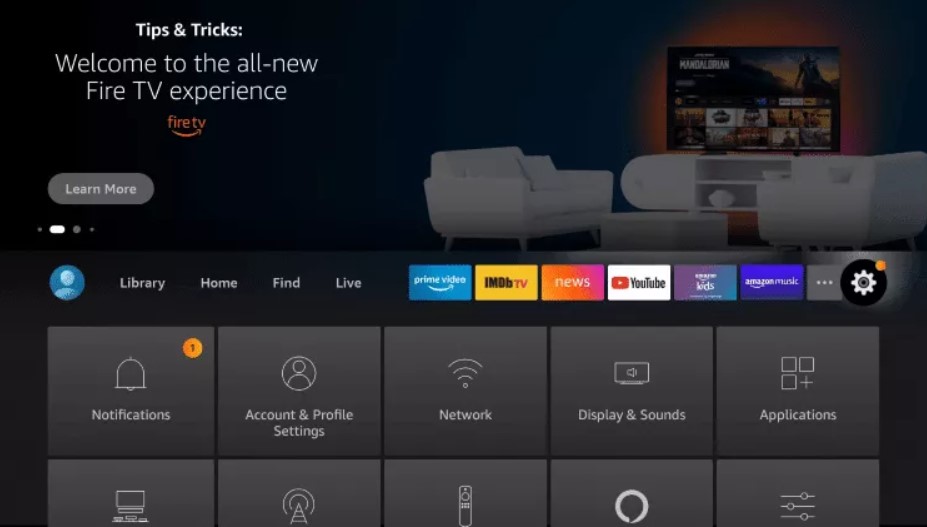
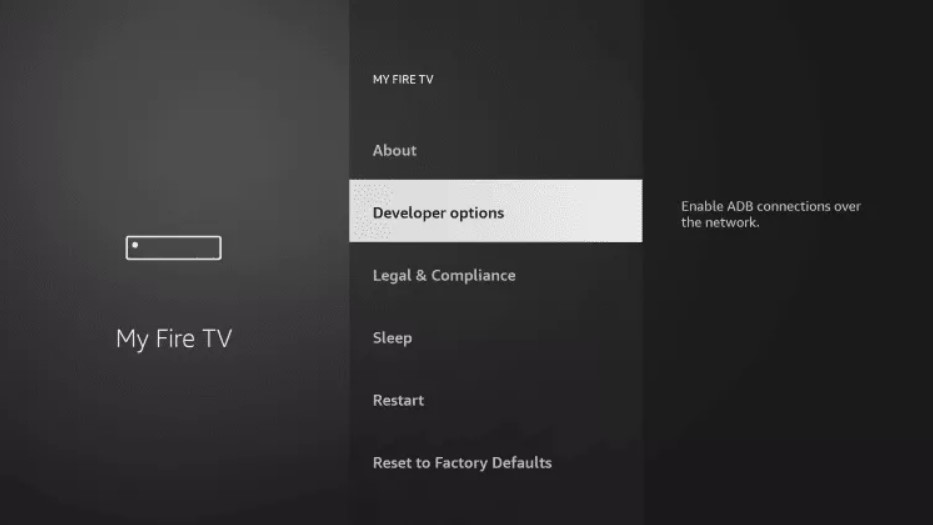
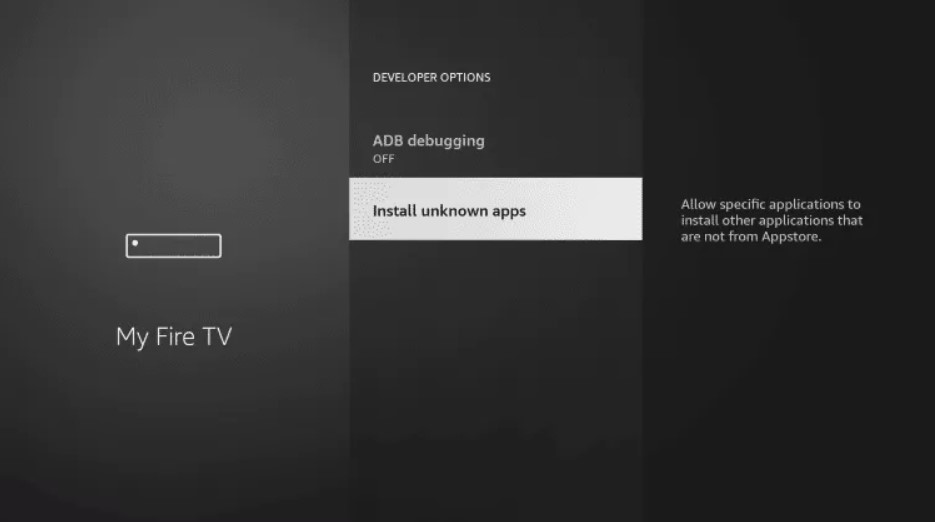
Path: Settings → My Fire TV → Developer Options → Set both ON
If Developer Options isn't visible: Settings → My Fire TV → About, then tap About 7–8 times until it says you are a developer. Then turn ON: Install Unknown Apps and ADB Debugging.
If Developer Options isn't visible: Settings → My Fire TV → About, then tap About 7–8 times until it says you are a developer. Then turn ON: Install Unknown Apps and ADB Debugging.
9
Click My Fire TV.
10
Choose Developer Options.
11
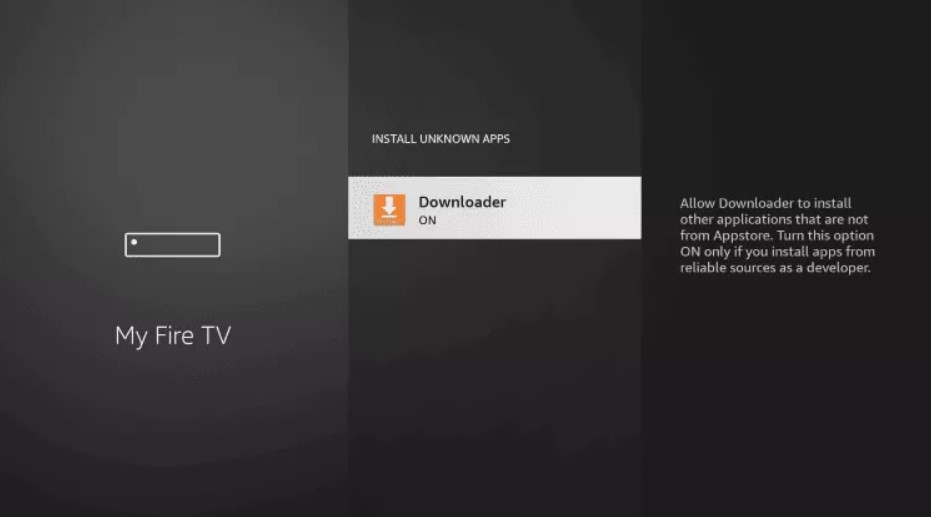
Click Install Unknown Apps.
12
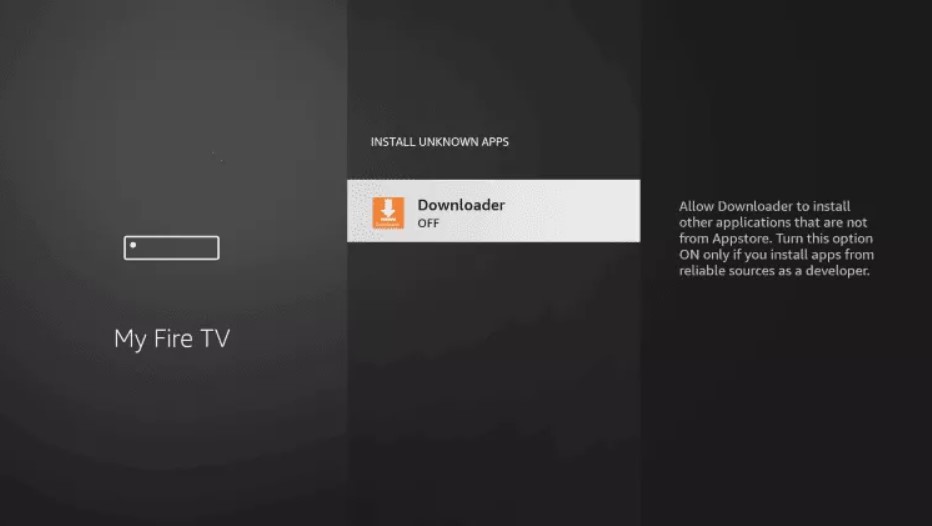
Find the Downloader app and click it.
13
This will turn Unknown Sources to ON for the Downloader app, enabling side-loading on your device.
14
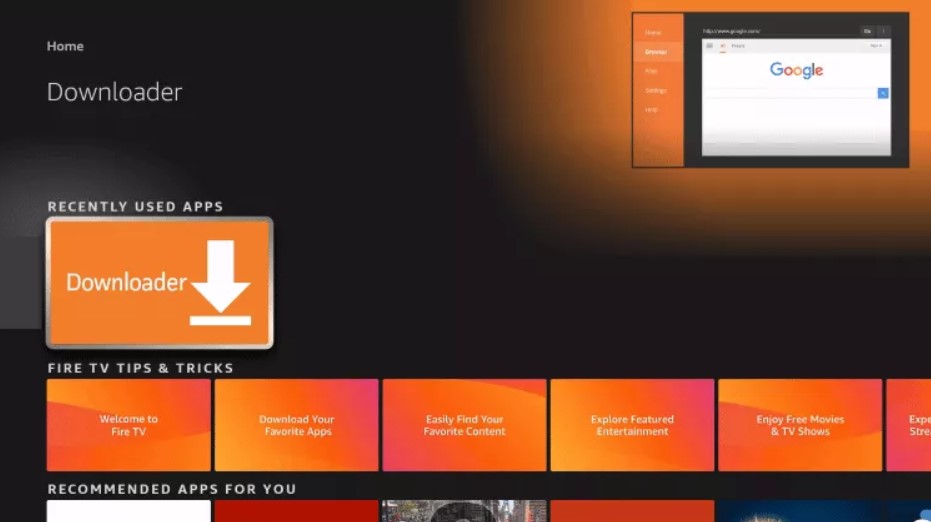
Launch Downloader.
15
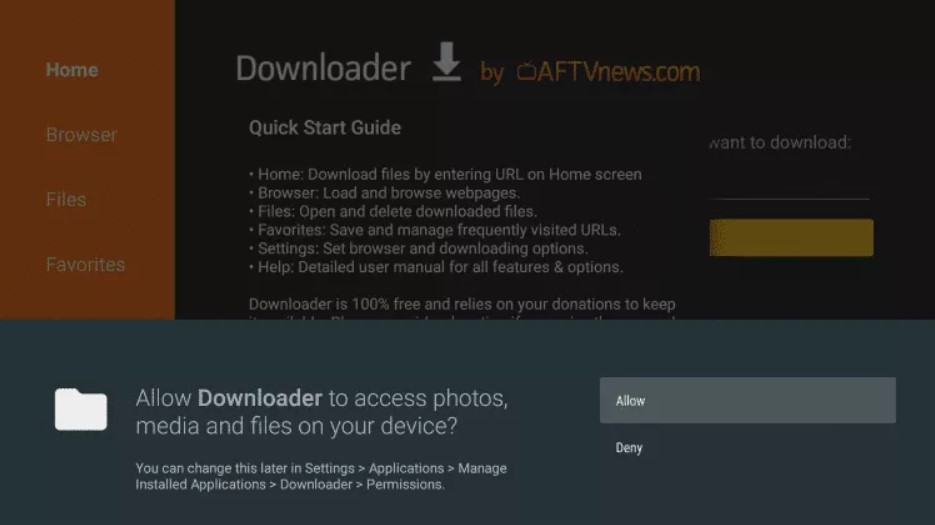
Click Allow when prompted.
16
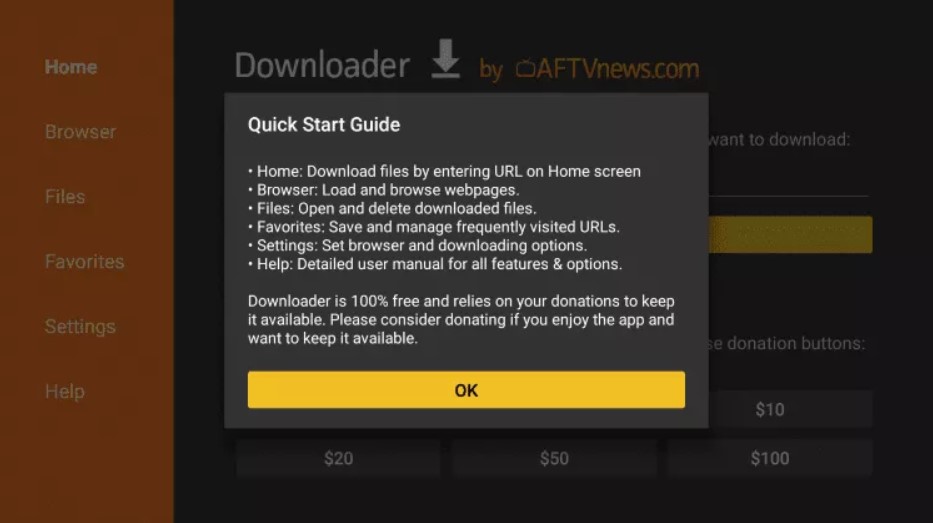
Click OK on the Quick Start guide.
17
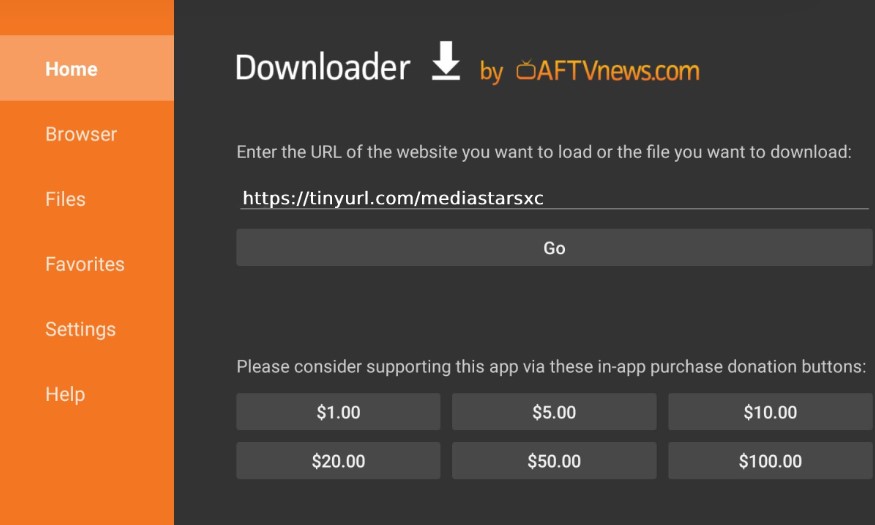
In the URL field, type your Novacast app URL and click Go.
App download link: novacastpremium.com/app
Type the URL exactly as shown — no spaces or "https://".
Type the URL exactly as shown — no spaces or "https://".
18
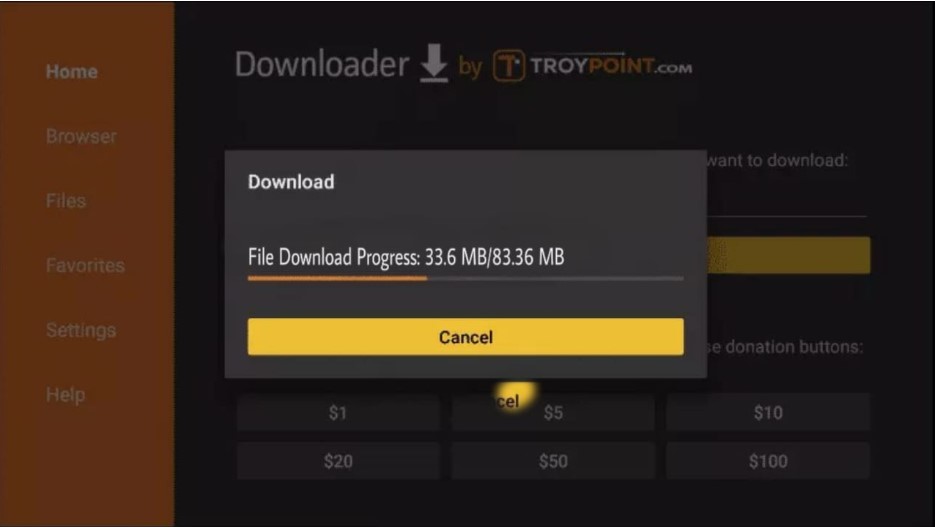
After download, click Install, then Open. Enter your username and password from the welcome email.
You're all set. Login details were sent to the email you used at checkout.
Setup Novacast on Smart TVs (LG, Samsung, etc.)
+
Smart TVs support two great apps — pick the one you prefer. Option A: IPTV Smarters Pro (instant login) or Option B: IBO Player (we upload the playlist for you). Both work perfectly on LG, Samsung and most Smart TVs.
⚡ Option A — IPTV Smarters Pro
1
Open the App Store on your Smart TV (LG Content Store / Samsung Smart Hub).
2
Search for IPTV Smarters Pro and install it on your TV.
3
Once installed, open the app and select Login with Xtream Codes API. Use the details we provide after you sign up for a trial or subscription to log in to the app.
Login details include: Username, Password, and Server URL.
These will be sent to you via email or on your WhatsApp number after you place an order for a free trial or subscription.
These will be sent to you via email or on your WhatsApp number after you place an order for a free trial or subscription.
4
Tap Add User — your channels, movies, and series will load automatically.
Done. You're all set. Enjoy streaming in full UHD quality.
OR
📺 Option B — IBO Player
1
Open your Smart TV App Store and search for IBO Player. You may also see it as IBO Pro Player or IBO Player Pro — they are all the same app with different names. Install any one of them.
2
Open the app on your TV. You'll see your MAC Address and Device Key on the screen. Send both to us via WhatsApp, email, or live chat — we'll upload your playlist from our side.
Send to us:
📱 WhatsApp: +44 7857 301541
✉️ Email: support@novacastpremium.com
You can also mention it during ordering.
📱 WhatsApp: +44 7857 301541
✉️ Email: support@novacastpremium.com
You can also mention it during ordering.
Done. Once we upload the playlist, restart your TV, open IBO Player — everything will work perfectly.
Setup Novacast on iPhone, iPad & Mac
+
For Apple devices we recommend Smarters Player Lite or GSE Smart IPTV from the App Store.
1
Open the App Store and search for Smarters Player Lite. Install it.
2
Open the app and choose Login with Xtream Codes API.
3
Enter the Username, Password, and Server URL we sent you by email.
4
Tap Add User — your channels, movies, and series will load automatically.
Done. Login details are in your welcome email.
Setup Novacast on Android Phones & Tablets
+
Use IPTV Smarters Pro from the Play Store — it's free.
1
Open the Google Play Store.
2
Search for IPTV Smarters Pro and install.
3
Open the app and choose Login with Xtream Codes API.
4
Enter your Username, Password, and Server URL from your welcome email and tap Add User.
Done. Channels, movies and series will load automatically.
Setup Novacast on MAG Box & STB Emu
+
MAG boxes and STB Emu need a portal URL plus your device's MAC address.
1
From the main menu, go to Settings → System Settings → Servers → Portals.
2
In Portal 1 URL, enter the portal address from your welcome email.
3
Save and reboot. Send your MAC address to our WhatsApp so we can link your subscription.
WhatsApp: +44 7857 301541
Setup Novacast on Formuler Boxes
+
Formuler boxes work great with the built-in MyTVOnline app.
1
Open MyTVOnline 3 from the home screen.
2
Add a new playlist using Xtream Codes API with the credentials from your welcome email.
3
Save and your content will appear within seconds.
Done. Enjoy streaming.
Setup Novacast on Windows PC / Mac
+
For computers we recommend VLC Media Player (free) or Smarters Player.
1
Download and install VLC Media Player from videolan.org.
2
Open VLC → Media → Open Network Stream.
3
Paste the M3U URL from your welcome email and click Play.
Done. Your full channel list will load. Save the playlist for next time.
Stuck? We're here 24/7
Average WhatsApp response: under 15 minutes. We'll set it up with you on a call if needed.